|
|
| 
|
|
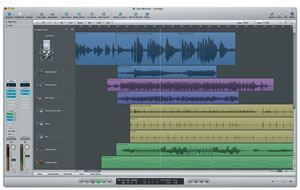
Apple Logic Pro
Compatibility:
Performance and Stability:
Improves
performance when using multiple instances of EXS24 in 32-bit
mode with EXS24 Virtual Memory mode active.
Resolves
several issues related to the download and installation of
basic and additional content.
Resolves an
issue that could occur which caused the application to stop
responding when performing Undo. This would occur after
deleting a file or region in the Audio Bin.
Plug-ins
and Instruments:
Fixes an issue
in which the Autofilter plug-in might produce clicks with
certain settings.
The "Select
Zone of Last Played Key" setting now works as expected in
the EXS24 editor.
When adding
Auxes as additional outputs for Multi Output Software
Instruments, the additional Auxes are automatically assigned
the same color and track icon as the Software Instrument.
General:
-
Fixes an issue
in which copying a MIDI region in a project which does not
start at 1 1 1 1, and in which the Transposition track is
active, might result in unexpected transposition of the
copied region.
The Controls
View of plug-in GUIs now fit properly on the 11-inch MacBook
Air display.
Resolves an
issue in OS X 10.7.x Lion that caused the Consolidate
Project command in Logic to open a backup of the project at
the end of the process.
Logic Pro
is part of Logic Studio,
a comprehensive software package that delivers everything a
musician needs to write, record, edit, mix, and perform in the
studio and on the stage.
Streamlined Interface
Library browser makes it easy to find audio files,
channel strip settings, and plug-in settings.
Inspector provides convenient access to region and track
parameters as well as primary mix functions via the
innovative Dual Channel Strip.
Assign tools to mouse and view current assignments
directly in the Arrange window.
Simple multiple track creation and setup.
Customizable tool and transport bars.
Context-sensitive shortcut menus.
Definable startup behavior.
Enhanced plug-in headers for all instruments and
effects.
Global Tracks for graphical editing of key and time
signatures, markers, tempo, and transposition.
Selectable time- and/or beat-based bar ruler for
time-linear and/or beat-linear display in the Arrange
window.
Waveform zoom slider for improved visibility of
low-level signals.
Extensive zoom tools and functions.
Ultimate Writing Studio
-
Region-based
quantize, transpose, gate, swing, and
velocity control.
MIDI Groove templates.
Creative MIDI processing and routing in the
Environment.
Caps Lock Keyboard for note entry using computer
keyboard.
Custom and Hermode tuning.
MIDI step entry.
Full support for Apple Loops
Export of MIDI and audio regions as Apple Loops.
Edit plug-ins and MIDI performances for Software
Instrument loops.
Independent loop transposition.
Comprehensive loop tagging and editing with Apple
Loops Utility.
Complete music notation
Instrument transposition.
Guitar tablature.
Drum notation.
Chord symbols.
Adaptive lyric input.
Automatic multibar rests.
Comprehensive palette of slurs, crescendis, and
other ornaments.
Staff Styles for easy recall of multiple stave
attributes.
Score Sets allow instruments to be combined for
editing and print.
Layout and printing of complete professional scores.
Robust video playback features
Digital Cinema Desktop for display of full-screen
video on second monitor.
External video output via FireWire or DVCPRO HD.
Global video thumbnail track.
Scene detect option to mark video transitions
automatically.
Fast and intuitive region looping.
Global chord track with automatic chord recognition.
Production Powerhouse
90 recallable screen configurations.
Audio file and I/O resolution up to 24-bit/192kHz.
Internal audio resolution: 32-bit floating point; 64-bit
precision where required.
Comprehensive surround support up to 7.1, with flexible
surround mixing facilities.
Extended project length: 6 hours at 96kHz; 13 hours at
44.1kHz.
.Mac backup and sharing of preferences and settings.
Use of an Apple Remote to control Logic Pro 8 from a
distance, with the ability to play, stop, record, rewind,
fast-forward, and move to the next or previous track.
High-end POW-r dithering algorithm.
Seamless punch-on-the-fly recording.
Low latency mode to remove plug-in induced latency
during recording.
Graphic beat mapping for creating tempo maps from
existing audio.
Well-designed collection of production-ready templates.
Multiple documents open at once.
Bounce to AIFF, WAV (Broadcast Wave), CAF, SDII, MP3,
M4A (Apple Lossless, AAC).
Fast, offline bouncing of single or multiple tracks.
Burn any bounced audio directly to CD or DVD-A (PCM
only).
Master and author professional, Red Book-standard CDs
with WaveBurner, included in Logic Studio.
Asset management simplifies consolidation and transport
of projects and their dependent assets.
MIDI note extraction from audio for drum replacement and
melodic transcription.
Freeze Tracks feature releases CPU resources by
invisibly rendering tracks.
Distributed audio processing (DAP) aggregates processing
power of multiple computers on a network.
Serial-based copy protection.
Powerful folders to facilitate organization and
streamline various arranging tasks.
Extreme Compatibility
Support for Apple Core Audio and Digidesign
DAE/TDM
hardware.
Support for TDM and AudioSuite plug-ins with
DAE/TDM
hardware.
Support for Audio Units plug-ins.
Support for AAF, OMF, Open TL, and XML (Final Cut Pro).
Streamlined ReWire support for optimized integration
with Reason, Ableton Live, and other ReWire-compatible
applications.
Precision Editing
Comprehensive set of editing tools assignable to left,
right, and key-modified mouse buttons.
Effortless take management:
Pack existing tracks into take folders.
Single-click take selection.
Colorize takes on the fly.
Intelligent unpacking of take folders onto separate
tracks.
Move and edit entire take folders like any other
region.
Revolutionary Quick Swipe Comping
Create comps on the fly.
Audition comps in real time.
Automatic, customizable crossfades between phrases.
Flatten function replaces take folder with regions
that represent the current comp.
Flatten and Merge function replaces take folder with
newly created audio file.
Multiple MIDI editors:
Score.
Hyper.
Event List.
Transform.
Graphical time stretching and compression in the Arrange
window.
Sample-accurate editing in the Arrange window.
Definable relative or absolute snap grid.
Nondestructive graphical fades and
crossfades.
Snap-to-transient selection.
Shuffle and Auto-Crossfade Arrange Edit modes.
Destructive sample editing using built-in or external
sample editor like Soundtrack Pro 2.
10,000-step undo history.
Time-linear and/or beat-linear display in the Arrange
window.
Professional Mixing and Automation
Dynamic channel strip creation accelerates mixer setup
and configuration.
Easy setup of multi-output software instruments.
Signal Flow view option shows all channel strips (e.g.,
Aux, Output, Master) within the audio signal path of the
selected channel strip.
Save/Load complete plug-in configurations using channel
strip settings.
Sample-accurate, track-based 32-bit automation.
Track- or region-based solo and mute.
Track mute/solo in either Fast or CPU-Saving mode.
Solo safe mode for any channel strip.
Direct insert patching of external hardware instruments
and effects.
Exponential or dB-linear level meter scaling.
Busses as sources for recording.
Inline input monitoring.
Up to 255 independent mono, stereo, or surround audio
channels.
Up to 255 independent software instrument channels.
Up to 255 auxiliary channel strips.
64 busses.
15 inserts, 8 sends per channel.
32 multi-assignable channel groups for mix and edit.
Extensive control surface support with
autolearn.
EuCon protocol support for Euphonix MC and System-5-MC
control surface systems.
Support for Smart AV Smart Console.
Support for active control surfaces via CS plug-ins.
Curve tool for refining automation.
Powerful automation features include:
Linked editing of grouped automation.
Automation Quick Access for easy hardware control of
currently selected parameter.
Automate any channel strip parameter or plug-in
parameter on the fly or manually input parameter
values using a breakpoint interface.
View multiple automation parameters for a single
track at once.
Simultaneously view and edit automation for single
or multiple tracks.
Read, write, touch, and latch automation modes.
Comprehensive Surround
-
Support for all standard surround configurations,
including LCRS, Quad, 5.1, 6.1, and 7.1.
Support for multichannel interleaved and split surround
audio files.
Play back, record, or process multichannel interleaved
audio files.
Surround level metering.
Multichannel signal routing via sends, busses, and
auxiliaries.
Graphic Surround Panner to manipulate mono or stereo
streams within a surround field.
Graphic Surround Balancer to simultaneously balance all
channels of surround input.
Support for Logic Studio True Surround plug-ins.
Built in multi-mono support lets you use any mono or
stereo Logic Studio or Audio Units plug-in in a surround
project.
Surround bounce and burn to DVD-A (PCM only) disc.
Dolby Digital AC-3 encoding and preview with Compressor.
Easy mixdown to stereo and surround formats using Down
Mixer plug-in.
Logic Studio includes:
-
DVD containing Logic Pro 8, MainStage,
Soundtrack Pro 2, Studio
Instruments, Studio Effects, WaveBurner
1.5, Compressor 3, Impulse
Response Utility, Apple Loops Utility,
QuickTime 7 Pro, and required content.
Six content DVDs containing Jam Pack collections, sound
effects, surround music beds, EXS24 samples, and impulse
response files.
Demo content
DVD.
Printed and electronic documentation.
|
| |
|






