|
|
| 
|
|
Chicken Systems:
Translator 7
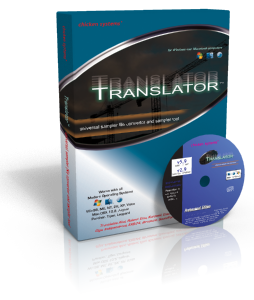
Translator is a sample
file format converter that supports over 40 different
hardware and software formats, such as Kontakt, Giga, EXS,
Akai, Roland, Yamaha Motif, Motif XF, Alesis Fusion, Korg
Triton, Camel Audio Alchemy, and many more. You can view and
convert proprietary disk formats, view their entire
contents, and convert one or all the sounds.
Translator also offers many tools that make handling
these files easier than ever. Update your sample-instrument links, reference
new sets of samples, audition samples within files using the internal
WavePlayer or integrated VST Host, bulk edit your Instruments, Batch Convert
files, convert Giga files to mono and back - in bulk, and again, much more.
You can use Virtual Drives as a quick and handy way to access your
proprietary disks and CD's.
Translator's customizable two-way interface allows
maximum viewing of your drives and files.
Selected Support List: Kontakt, Giga, EXS-24, SFZ,
Alchemy, HALion, MachFive, EmulatorX, Reason NN-XT, SampleTank, SoundFont,
Recycle, ACID, Apple Loops, Akai, Roland, Ensoniq, Kurzweil, Emu, Yamaha
Motif, Triton, Fantom, Fusion, Synclavier, Fairlight, WaveFrame, WAV, AIFF,
SD2.
Selected Feature List: Fix References, Virtual Drives,
Bulk Edit, Bulk Audio Process, Batch Convert, Auditioning, View Disk and
Files details, Proprietary Disk Defragmentation, Various Instrument Editing.
New Formats:
Akai S900, 950.
Roland S550, S330, W30, S50.
Emu Emax II, Emax I.
Emu Emulator II.
Ensoniq Mirage.
Korg DSS-1, DSM-1.
Sequential Circuits Prophet 2000/2002.
Apple "Sampler" (EXS24 Mark III).
Waldorf Quantum.
Sequential Prophet X.
Roland Fantom (modern).
NED Synclavier (Hi-Tech Edition only).
|
Source Formats |
| Software |
| Native Instruments Kontakt
Instrument/Multi/Bank (.nki; .nkm; .nkb) |
| Apple EXS24 (.exs) All Versions |
| Digidesign/A.I.R./inMusic Structure (.patch) |
| UVI Falcon (.uvip; .uvim) |
| MOTU MachFive 1, 2, 3 (.m5p; .m5m) |
| Tascam GigaStudio (all versions) (.gig) |
| Propellerheads Reason NN-XT (.sxt) |
| Ableton Sampler/Simpler (.adg; .adv) |
| Emu EmulatorX (.exb) All Versions |
| Steinberg HALion 1 and 2 (.fxp) |
| IK Multimedia SampleTank 1, 2, 3,
4(.sth;.sti;.stw; .xml; .pak) |
| Akai MESA 1 and 2, Millennium (s3p, .prg) |
| Creamware Pulsar/STS (.sts; .p; .s; .wav) |
| SoundFont (.sf2) |
| Downloadable Sounds (.dls) |
| Cakewalk SFZ (.sfz) |
| Speedsoft VSampler 2 (.vbs) |
| CWIAudio TX16Wx (.tga) |
| Image-Line DirectWave (.dwp' .dwb; .wav) |
| Togu Audio Line TALSampler (.talsmpl) |
| One Small Step Grace Sampler (.lpg) |
| Propellerhead IDT (.inst) |
| New Sonic Arts Nuance (.nu) |
| iRompler (.xsml) |
| Digidesign SampleCell (.ins) |
| Native Instruments Reaktor (.map) |
| Bitheadz Unity DS-1 (.uds) |
| |
| Workstations and
Hardware Computer Format Samples |
| Yamaha Motif Classic, ES, XS, XF, MOXF
(.w2v;.w7v;.x0v;.x3v;.x6v) |
| Yamaha Montage (.x7a; .x7l) |
| Roland Fantom-S, -X, and -G (.svd) |
| Korg Kronos/M3/Triton (.pcg;.ksc;.kmp;.ksf) |
| Alesis Fusion (.afp;.afi;.afs) |
| Yamaha Tyros 2,3,4,5 (.tvn;.uvn) |
| Ketron Audya |
| Akai S-5000/Z-Series |
| |
| Groove Boxes
(software, hardware) |
| Akai MPC-60, 3000, 2000, 2000XL,
1000/2500/500/5000 (all versions) (.pgm; .wav;
.snd) |
| Akai MPC-Renaissance/MPC-X (.xpm) |
| Akai MPC-4000 (.akp; .wav) |
| Roland MV-8000/8800 (.mv0) |
| Native Instruments Battery 1, 2, 3, and 4
(.nbkt; .kit; .kt2; .kt3; .cel; .cl3) |
| Sonoma Wireworks DrumCore/KitCore (.userKit) |
| One Small Step Poise Drum Sampler (.dkt) |
| FXpansion GURU (.kit) |
| FXpansion DR008 (.dr8) |
| Radikal Technologies Spectralis (.sli) |
| Singular Sound Beat Buddy |
| Steinberg LM-4 mrk I and mrk II (.txt;.fxp) |
| |
| Hardware
Proprietary Samplers |
| Akai S-1000/3000 |
| Roland S-5x |
| Roland S-7x |
| Emu Emax II |
| Emu E3/ESi |
| Emu E4/EOS |
| Ensoniq EPS/ASR (.efe;.efa) |
| Kurzweil K2x (.krz;.k25;.k26), PC3K (.p3k),
Forte (.for) |
| Yamaha A-Series |
| |
| Slice Files |
| Recycle I and II (.rx2, .rex; .rcy) |
| ACID (.wav) |
| AppleLoops (.aif;.aiff) |
| Stylus RMX |
| Akai Chopshop (.wav) |
| Native Instruments Kontakt Beat Machine
(.nki) |
| Emu EmulatorX TwistaLoop (.exb) |
| |
| Single Samples |
| WAVE (.wav) |
| AIFF (.aif;.aiff) |
| Akai MPC (.snd) |
| Korg Sample (.ksf) |
| Apple CAF (Core Audio Format) (.caf) |
|
|
Destination Formats |
| Software |
| Native Instruments Kontakt
Instrument/Multi/Bank (.nki; .nkm; .nkb) |
| Apple EXS24 (.exs) All Versions |
| Digidesign/A.I.R./inMusic Structure (.patch) |
| UVI Falcon (.uvip; .uvim) |
| MOTU MachFive 1, 2, 3 (.m5p; .m5m) |
| Propellerheads Reason NN-XT (.sxt) |
| Yellow Tools Independence (.ytil) |
| Cakewalk SFZ (.sfz) |
| Apple/CamelAudio Alchemy (.acp) |
| Ableton Sampler/Simpler (.adg; .adv) |
| Emu EmulatorX (.exb) All Versions |
| IK Multimedia SampleTank 1, 2, 3,
4(.sth;.sti;.stw; .xml; .pak) |
| Steinberg HALion 1 and 2 (.fxp) |
| Native Instruments Reaktor (.map) |
| SoundFont (.sf2) |
| Downloadable Sounds (.dls) |
| Akai MESA 1 and 2, Millennium (s3p, .prg) |
| Creamware Pulsar/STS (.sts; .p; .s; .wav) |
| CWIAudio TX16Wx (.tga) |
| Image-Line DirectWave (.dwp' .dwb; .wav) |
| One Small Step Grace Sampler (.lpg) |
| One Small Step Poise Drum Sampler (.dkt) |
| Togu Audio Line TALSampler (.talsmpl) |
| Propellerhead IDT (.inst) |
| New Sonic Arts Nuance (.nu) |
| iRompler (.xsml) |
| |
| Workstations and
Hardware Samplers |
| Yamaha Motif Classic, ES, XS, XF, MOXF
(.w2v;.w7v;.x0v;.x3v;.x6v) |
| Yamaha Montage (..x7l) |
| Roland Fantom-S, X, and G (.svd) |
| Korg Kronos/M3/Triton (.pcg;.ksc;.kmp;.ksf) |
| Alesis Fusion (.afp;.afi;.afs) |
| Yamaha Tyros 2,3,4,5 (.tvn;.uvn) |
| Ketron Audya |
| Akai S-5000/Z-Series |
| |
| |
| |
| Groove Boxes
(software, hardware) |
| Akai MPC (all versions) (.pgm; ..xpm; wav;
.snd) |
| Akai MPC-Renaissance/MPC-X (.xpm) |
| Akai MPC-4000 (.akp; .wav) |
| Roland MV-8000/8800 (.mv0) |
| Native Instruments Battery 1, 2, 3, and 4
(.kit; .kt2; .kt3; .cel; .cl3) |
| Sonoma Wireworks DrumCore/KitCore (.userKit) |
| One Small Step Poise Drum Sampler (.dkt) |
| FXpansion GURU (.kit) |
| FXpansion DR008 (.dr8) |
| Radikal Technologies Spectralis (.sli) |
| Singular Sound Beat Buddy |
| Steinberg LM-4 mrk I and mrk II (.txt;.fxp) |
| |
| Hardware
Proprietary Samplers |
| Akai S-1000/3000 |
| Roland S-7x |
| Roland XV-5080 |
| Emu E4/EOS |
| Emu E3/ESi |
| Ensoniq EPS/ASR (.efe;.efa) |
| Ensoniq ASR-X (.sou;.aif) |
| Kurzweil K2x (.krz;.k25;.k26), PC3K (.p3k),
Forte (.for) |
| |
| |
| Slice Files |
| ACID (.wav) |
| AppleLoops (.aif;.aiff) |
| Stylus RMX |
| Akai Chopshop (.wav) |
| Native Instruments Kontakt Beat Machine |
| Recycle 1 (.rex; .rcy) |
| |
| |
| Single Samples |
| WAVE (.wav) |
| AIFF (.aif;.aiff) |
| Akai MPC (.snd) |
| Korg Sample (.ksf) |
| Apple CAF (Core Audio Format) (.caf) |
|
Notes:
Regarding encrypted
files: It is a recent development over the last 15 years or so to
data-encrypt audio samples to enforce a copy-protection scheme. Since
developers started making their own samplers, they use this connection to
allow only licensed users to play their sounds. If it was possible to
translate these samples to other formats, it would defeat their
copy-protection schemes. Thus, the Chicken Systems Conversion Engine cannot
and will not be able to convert out of these formats, as we respect the
developer's intent.
Keep in mind that a
useable workaround is to use your product's AutoSampler function (if it has
one, many Chicken Systems products have it or will have it) or a third-party
autosampler. Of course this will require the sampler that can load your
source formats, but it's still an acceptable way of getting things into your
destination.
-
Kontakt 6: These exist in the old extensions NKI NKM NKB etc. but cannot be
read.
-
Kontakt 5 and lower: Non-encrypted only. Kontakt .nki's
that read .nks or .nkx files are classified as encrypted. NKI/NKM that
reference NCW files must be resaved as uncompressed in Kontakt to be
supported. Can read all information from Kontakt 5 and 4.2 files EXCEPT
modulators, filters, and slice information. Kontakt 5/4.2 Banks (.nkb)
are not supported yet. NOTE: the .NKB and modulators/filters/slices
restriction is NI's restriction, they chose to not let users read these
parameters. We have asked them repeatedly for over a decades to change
their policy but so far to no avail. We do not expect them to change.
-
SFZ: Non-encrypted only. As of this writing, the only
SFZ files that use encrypted samples are the Garritan Aria-Player
libraries. Any SFZ file that references an ".audio" file is encrypted.
-
Structure: Non-encrypted only; as of this writing AFAIK
only the factory library is encrypted. Any Structure file that
references a .big file is encrypted.
-
Giga: Read-only, non-encrypted only; as far as we know
only GVI Virtual Instruments are encrypted.
-
HALion: Non-encrypted only; as of this writing HALion
3/4/5/6 are ALL encrypted. ALL HALion
3/4/5/6 are completely encrypted.
-
MachFive/Falcon: Non-encrypted only. As of this writing
this only involves the MachFive 2, 3, and UVI Workstation factory
libraries. All user-written MachFive 2, 3, and Falcon files are
supported.
-
Emulator X: All .exb banks that reference .ebl files
are supported. Any sample files that are not .ebl are encrypted and
cannot be converted.
-
Independence: All Independence .ytil files are
encrypted and cannot be read, but the Chicken Systems Conversion Engine
can create them and show their mappings and audition their samples. The
exception is .ytil files that reference samples in the large .ytif
images.
-
SampleTank: The Chicken Systems conversion engine
converts SampleTank files, with the exception of 2-Pak compressed
samples.
-
TALSampler: Non-encrypted only. .talwav files are
encrypted, so any .talsmpl instrument that references .talwav cannot be
converted.
-
Reason Refills (.rfl files): Not supported. Any Reason
.sxt file that references anything in a Refill cannot be translated.
-
Recycle: Read-only, Recycle 2 files cannot be written
by anything other than Recycle itself.
-
Stylus RMX: Only includes User Libraries; any Core
Library or XPander files are encrypted and thus are not supported.
-
CAF: On Windows, the Chicken Systems Conversion Engine
can only read or write uncompressed types of CAF files.
-
Hybrid formats: A hybrid format is one that can
reference RAM samples and samples indexed in ROM (e.g. a Kurzweil file
that loads samples as well as uses the ROM banks.) The Chicken Systems
Conversion Engine will convert the RAM sections but not the ROM
sections.
-
Yamaha Motif/Montage/MODX: Often a Yamaha-created Motif
Bank will contain LPC- or XPC-compressed samples, which cannot be
decompressed or converted. The purpose for this is apparantly so no
other sound engine can play back the samples except a Motif/Montage
itself.
-
Alesis Fusion: Often a Hollow Sun-created Fusion Bank
will contain compressed samples, which cannot be decompressed or
converted. The purpose for this is apparantly so no other sound engine
can play back the samples except the Fusion itself.
-
Proprietary formats on computer: All proprietary
formats, such as Akai Programs, E4 banks, etc., have counterpart files
that can exist on computer-type drives. These extensions are shown in
the list above. A counterpart file may or may not be able to be written
or read by the native hardware sampler. The Chicken Systems Conversion
Engine can convert into or out of these formats.
|
| |
|











