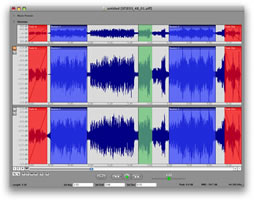
::: .::.Library Monkey Pro features extensive asset management tools, CD ripping with index support, search options with recent search recall, waveform editing, plugin support, MP3 export and batch processing. Feature Overview Power: Sophisticated processing engine for speed and stability. One window design. Customizable list view. Resizable control section. Quick access to conversion-only session. Rapid Convert providing in-Finder file conversion. Unattended processing mode. Multiple error logging levels. Unicode support. Asset Management: CD ripping with index support. User-defined fields. User-defined Sets. Smart Sets for automated searches. Recent search recall. Field specific searches. Multiple bins for quick asset recall. Support for Finder/Spotlight Comments, and other industry-wide standards. Open assets in external applications including Pro Tools, Digital Performer, etc. Quicktime movie video preview. Waveform Editing: Multi-channel editing. Movie Preview while editing. Waveform overview with advanced selection options. Sample-level editing. Resizable channel waveform view. Support for fades/loops/markers/regions. Auto-trimming. Auto-regioning with naming. Comprehensive edit actions. Processing: Comprehensive conversion engine. AU and VST plugin support. Multi-channel file support. RMS and Peak normalizing. Force sample rate feature. Advanced naming options. User presets. "Retain Folder Structure" option. Naming options for Pro Tools compatibility with split audio files. Pull-up/pull-down sample rates. Custom sample rates. 31 character name limit support. Metadata: Metadata batch-processing. Copy metadata from selection. Support for Finder/Spotlight comments. Support for ID3 tags, Vorbis Comments, FLAC Comments, BWAV, Soundminer and Quicktime User Data. All metadata viewable in the List view. Playback: Preview process settings. Full playback control including scrubbing. Playback slider. Loop playback. Quicktime movie video preview.     Sound Grinder Pro provides advanced audio batch-processing and waveform editing. Features include comprehensive waveform editing, AU and VST plug-in processing, support for the Thomson/Fraunhofer IIS MP3 and MP3 Surround codec, drag-n-drop DAW import, Droplets for drag-n-drop conversion in the OS X Finder, metadata processing, a new waveform editor and much more. Feature Overview Power: Sophisticated processing engine for speed and stability. One window design. Customizable list view. Resizable control section. Rapid Convert providing in-Finder file conversion. Unattended processing mode. Multiple error logging levels. Unicode support. Processing: Comprehensive conversion engine. Droplets for drag-n-drop processing. AU and VST plugin support. Multi-channel file support. RMS and Peak normalizing. Advanced naming options. User presets. "Retain Folder Structure" option. Naming options for Pro Tools compatibility with split audio files. Pull-up/pull-down sample rates. Custom sample rates. 31 character name limit support. Waveform Editing: Multi-channel editing. Movie Preview while editing. Waveform overview with advanced selection options. Sample-level editing. Resizable channel waveform view. Support for fades/loops/markers/regions. Auto-trimming. Auto-regioning with naming. Region exporting. Comprehensive edit actions. Metadata: Metadata batch-processing. Copy metadata from selection. Support for Finder/Spotlight comments. Support for ID3 tags, Vorbis Comments, FLAC Comments, and Quicktime User Data. All metadata viewable in the list view. Playback: Preview process settings. Full playback control including scrubbing. Playback slider. Loop playback. Quicktime movie video preview. free, download, no torrent, warez, crack, keygen, serial, MediaFire, HotFile, FileJungle, RapidShare, FileSonic, Wupload, FileServe, blogspot ;

Menu

»

Home

Monkey Tools: Sound Grinder Pro


Sound Grinder Pro provides advanced audio batch-processing and waveform editing.

Sound Grinder Pro provides advanced audio batch-processing and waveform editing. Features include comprehensive waveform editing, AU and VST plug-in processing, support for the Thomson/Fraunhofer IIS MP3 and MP3 Surround codec, drag-n-drop DAW import, Droplets for drag-n-drop conversion in the OS X Finder, metadata processing, a new waveform editor and much more.


Feature Overview

Power:

  • Sophisticated processing engine for speed and stability.

  • One window design.

  • Customizable list view.

  • Resizable control section.

  • Rapid Convert providing in-Finder file conversion.

  • Unattended processing mode.

  • Multiple error logging levels.

  • Unicode support.

Processing:

  • Comprehensive conversion engine.

  • Droplets for drag-n-drop processing.

  • AU and VST plugin support.

  • Multi-channel file support.

  • RMS and Peak normalizing.

  • Advanced naming options.

  • User presets.

  • "Retain Folder Structure" option.

  • Naming options for Pro Tools compatibility with split audio files.

  • Pull-up/pull-down sample rates.

  • Custom sample rates.

  • 31 character name limit support.

Waveform Editing:

  • Multi-channel editing.

  • Movie Preview while editing.

  • Waveform overview with advanced selection options.

  • Sample-level editing.

  • Resizable channel waveform view.

  • Support for fades/loops/markers/regions.

  • Auto-trimming.

  • Auto-regioning with naming.

  • Region exporting.

  • Comprehensive edit actions.

Metadata:

  • Metadata batch-processing.

  • Copy metadata from selection.

  • Support for Finder/Spotlight comments.

  • Support for ID3 tags, Vorbis Comments, FLAC Comments, and Quicktime User Data.

  • All metadata viewable in the list view.

Playback:

  • Preview process settings.

  • Full playback control including scrubbing.

  • Playback slider.

  • Loop playback.

  • Quicktime movie video preview.


Related Topics / News


Latest VST Hosts News: DAWs (Digital Audio Workstations), Sequencers, Multitracks (Windows, Mac OS X, iPhone, Mobile, iPad)


The Event List view shows events in a list format. You can insert, delete, or modify any kind of event, including notes, pitch-wheel data, velocity, MIDI controllers, patch changes, Wave files, lyrics, text strings, MCI commands, System Exclusive meta-events, and more. There are three ways to open the Event List view:  Select one or more tracks and choose View-Event List -- Select one or more tracks and click  in the Views toolbar  -- Right-click a clip in the Clips pane and choose View-Event List from the popup menu  -- The events in the selected tracks are listed one per line, from top to bottom. As you move the highlight through the event list, SONAR updates the Now marker (time display). During playback, the event list scrolls to display the events at the current time. The current event is centered in the Event List during playback, and the highlight is on the correct event when playback stops. Any time you change the Now time, the event list is updated and the highlight is moved to the event that will be played next.  When the Event List view includes more than one track, events are mixed together in chronological order. For example, if you select tracks 1 and 3 when you open the Event List view, you see a single list of intermingled events from tracks 1 and 3. You can have any number of Event List views, each containing any number of tracks, open at the same time. You can change the tracks shown in the Event List view by clicking the  button and choosing the tracks you want.

VST is a trademark of Steinberg Soft- und Hardware GmbH


 Syntheway Virtual Musical Instruments © 2004-2012 Daniel Alberto Laiseca| Buenos Aires - Argentina|

Privacy Policy | Disclaimer | FAQ | Site Map Artists & Links Technical Support ContactAbout Us