Importing Third-Party
Multisamples
(i.e. Organux EXS24 Sample
Library Set)
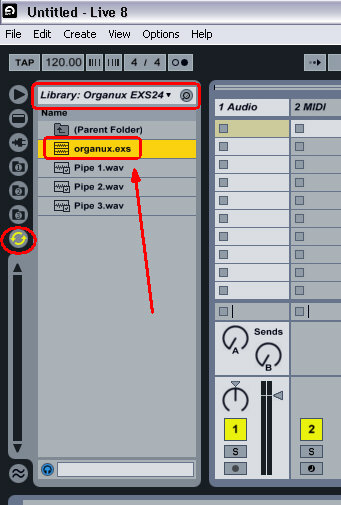
Simply navigate in Ableton to
Organux folder. Double click on a patch, and
it will automatically create a new sampler
instrument with the correct mapping of keys.
The new Ableton sampler patch will be
available under imports on the sampler in
the navigation window.
Sampler can use
multisamples created by a number of other
software and hardware samplers.
-
To import a third-party
multisample, navigate to the file in
Live‘s browser and drag it into a Live
Set. This will import it into your User
Library.
-
Importing will create new
Sampler presets, which you can find in
the browser under User
Library/Sampler/Imports.
-
Note that some
multisample files will be converted to
Instrument Rack presets that contain
several Sampler instances used to
emulate the original more accurately.
-
For all multisample
formats except Apple EXS24/GarageBand
and Kontakt, Live will import the actual
audio data and create new samples. This
means the new Sampler presets will work
regardless of whether the original
multisample file is still available.
-
To import Apple EXS24/GarageBand
and Kontakt multisamples, Live will
create new Sampler presets that
reference the original WAV or AIF files.
This means that removing the original
WAV or AIF files will render the new
Sampler presets useless. Live‘s File
Manager offers the option to collect and
save these external samples.
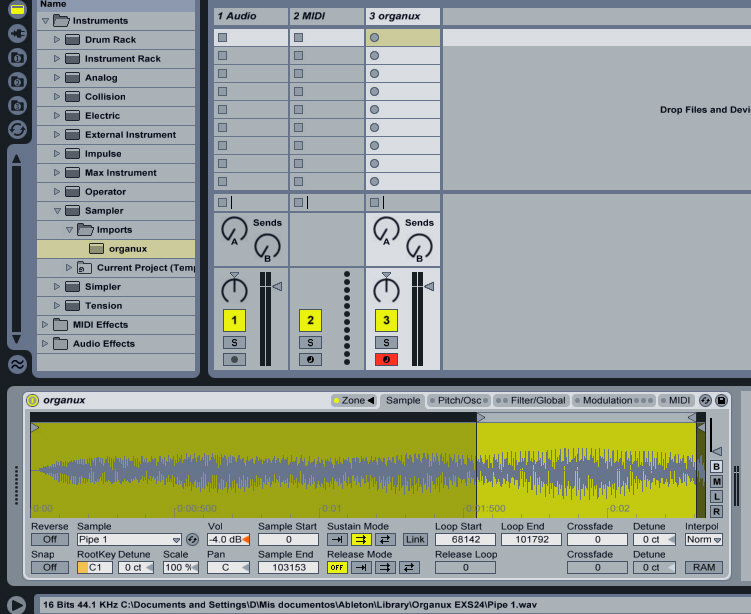
Double-click on Organux from
Sampler / Imports
Click Image To Enlarge
Live
Sampler just imports the exs24
patch file and simply references the samples...
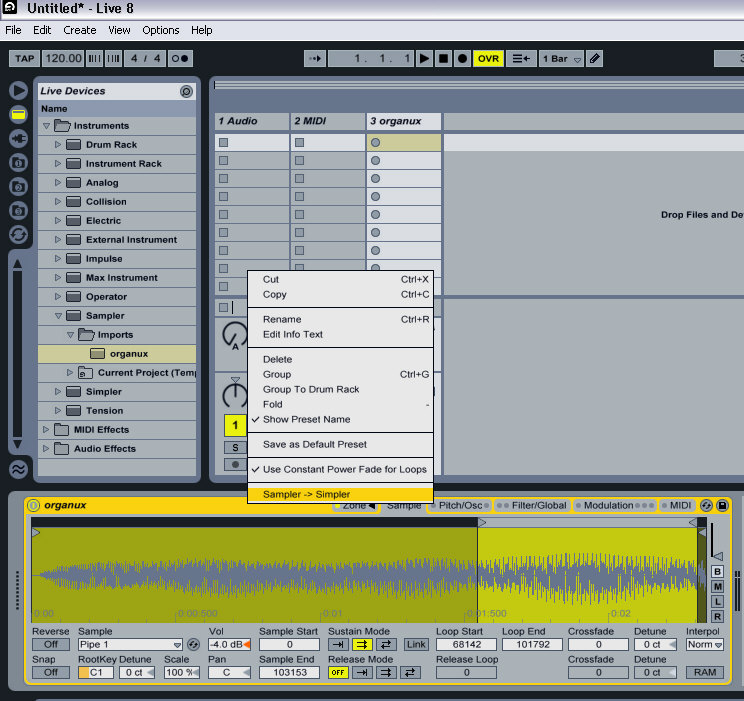
Switching from Sampler to Simpler
Click Image To Enlarge
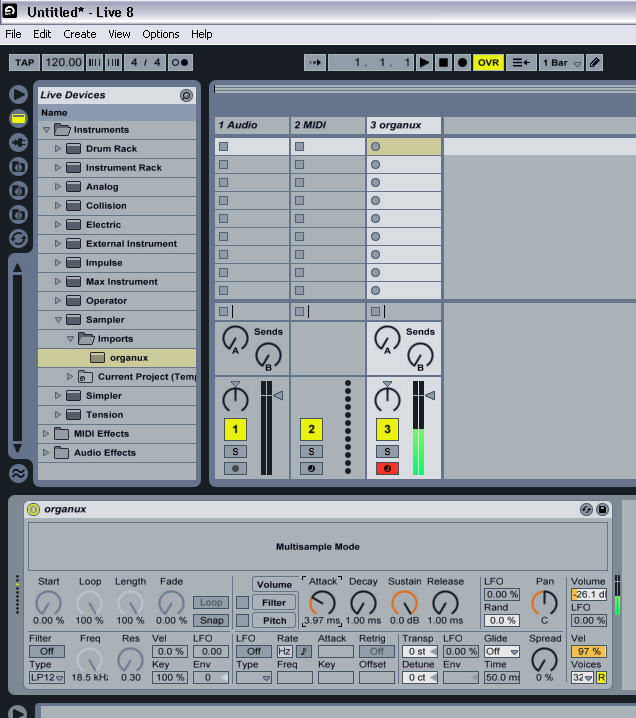
Simpler ADSR Parameters (Multisample
mode)
Click Image To Enlarge