Ableton offer two
choices, Simpler and Sampler. Simpler is
bundled with every version of Ableton Live.
Sampler is bundled with Ableton Live Suite but
can be bought separately for owners of the
standard version of Live. If you’re wondering
what the difference is, which one is right for
you, or if you should upgrade to Sampler.
Simpler (free with all versions of Live)
In a nutshell, Simpler is the baby and Sampler
is the grown-up. Simpler is able to load a
single audio file either from Ableton’s
browser or by dragging a clip directly into
the sample view.
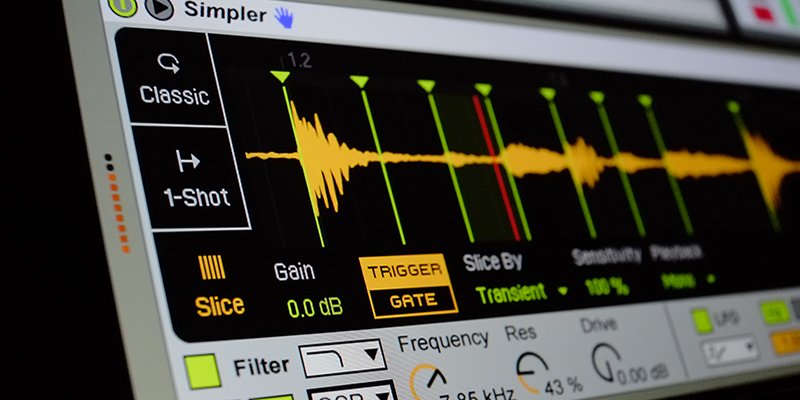
Simpler’s interface is gloriously er.. simple.
No tabs, no menus, everything is presented in
a single panel.
Once a sample is loaded in Simpler, it can be
processed with a number of tools. Sample start
can be adjusted and loop start, length and
crossfade can help you find the right portion
of the sample to play back. There’s a
multi-mode filter which can be modulated by
velocity, LFO, key position or envelope. The
LFO is what you’d expect. It can be
free-running or can retrigger on note-on and
can sync to host tempo if needed. There are
three envelopes for volume, filter and pitch.
Finally, Glide allows you to apply portamento
style glide and Spread applies a unison detune
and panning for a rich stereo chorus effect.
There are no bells and whistles. The most
glaring restriction for anyone used to
samplers or sampling is that you can only load
one sample at a time. That means no
multi-sampling, but as a simple tool to
playback an audio file chromatically, or to
sculpt a sound with filters, envelopes and
LFOs, it’s perfect.
Sampler (€99 / $129 or free with Live Suite)
It makes sense, therefore, that Sampler makes
up for Simpler’s restrictions. Multisampling
and velocity splits are the key features here,
along with import of third party formats such
as EXS24, Kontakt and Akai. There are other
additional features too, such as pre/post
filter waveshaping, additional LFOs and
envelopes, and comprehensive MIDI mapping.
There’s even an oscillator on board which can
be used for frequency or amplitude modulation
if you want to get experimental.
Sampler’s interface is more complex. Making
use of tabs and a fold out Zone Editor.
In short, Sampler is much more akin to
something like Native Instruments Kontakt or
Steinberg HALion because it has been designed
to handle large multi-sampled instrument
libraries, and it does so very well.
Converting between Simpler and Sampler
The good news is that you cannot make a
mistake in your choice of Simpler vs Sampler.
Simpler presets can be converted to Sampler
presets and vice versa. So if you start your
work in Simpler and then realize you need the
power of Sampler, you can convert in a single
click. Likewise if you work in Sampler, but
want to share your work with those who don’t
own it, you can convert to Simpler format,
without losing any of the extra features.
Simpler cannot access the full under-the-hood
features when playing back a Sampler preset,
but the ability to playback Sampler presets at
all is a clever move on Ableton’s part.
The process of converting is easy. Right-click
in the Device Title Bar of either Simpler or
Sampler and choose the conversion option from
the bottom of the context menu. EitherSimpler
> Sampler orSampler
> Simpler depending on which instrument
you are in at the time. back a multi-sampled preset
created in Sampler.
Overcoming Simpler’s limitations
Reading this, one might assume that Simpler’s
limitations will quickly become an issue. No
multi-sampling means no keyboard or velocity
splits but Live has a few tools which can help
us overcome these limitations.
Using Instrument Racks, it is possible to
achieve both keyboard and velocity splits
using multiple Simplers.
Another useful tool is the Drum Rack. As its
name implies, its main use is for drums. It
creates key splits on every key for you,
allowing you to put a sample or instrument on
each key. Dropping an audio file onto a Drum
Rack’s cell will automatically open an
instance of Simpler in that cell, creating a
single note key split to play back that
Simpler instrument. It is worth noting that
Drum Racks can just as easily hold instances
of Sampler or any other Live Device or virtual
instrument.
Overall, Simpler and Sampler can be be seen as
similar instruments, with Simpler being more
suited to manipulating single audio files and
Sampler being more focussed on large
multi-sampled instruments. Ableton have
cleverly allowed each instrument to convert to
the other, which blurs the boundaries and most
importantly, allows Sampler users to share
their work with those who only use Simpler.
Because of Live’s almost modular approach to
building instruments however, Simpler’s
limited looking feature set can be extended
using Instrument Racks and Drum Racks so basic
keymapping and velocity splits can be achieved
without the need for Sampler. However if you
are serious about instrument building and are
looking for pro features found in the big
industry standard samplers like Kontakt,
Sampler may be exactly what you are looking
for.
Mac OS X is a trademark of Apple Inc.
Audio Units™ is a trademark of Apple
Inc.
VST
is a trademark of Steinberg Soft- und Hardware GmbH
Kontakt™ is a trademark of
Native Instruments GmbH
Mac™ is a trademark of Apple Inc.,
registered in the U.S. and other countries.
EXS24™
and
EXSP24™ is a trademark of Apple
Inc., registered in the U.S. and other countries