|
|
| 
|
Introducing Image Line FL Studio 11
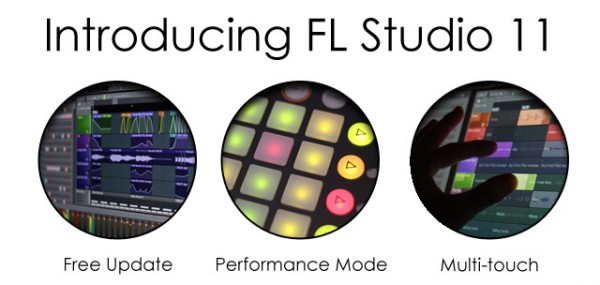
FL Studio 11 is a complete software music production environment, representing
more than 14
years of innovative developments and our commitment to Lifetime Free Updates.
Everything you
need in one package to compose, arrange, record, edit, mix and master
professional quality music.
FL Studio 11 is the fastest way from your brain to your speakers.
Notable New Features
-
Performance mode – Trigger
Playlist Clips live using a mouse, touch screen, typing keyboard or MIDI
controller. Supports APC20/40, Launchpad, Lemur, Block, Maschine/Mikro,
padKONTROL, Traktor Kontrol (and more).
-
Multi-touch support - FL
Studio and some plugins now respond to Multi-touch with Microsoft gesture
functions supported.
-
Playlist - 199 Playlist
tracks, increased from 99.
-
Linking includes MIDI input port -
Links now remember the MIDI input port used to avoid conflict between
controllers.
-
Playlist & Piano roll –
Horizontal & vertical movement locking. Shift is horizontal lock & Ctrl is
vertical lock when dragging items.
-
Piano roll - Glue notes,
Mouse wheel velocity, Monophonic step entry mode & Chop chords tool.
-
Right-click data entry -
Most controls now allow a Right-click option to type in values.
-
Plugin Picker -
Right-click to open a plugin and its presets in the Browser. Start typing
plugin names to highlight entries.
-
Mixer - Page Up/Down
keyboard keys cycle through the current mixer track's plugin windows.
-
Options - Play truncated
notes in clips restores notes overlapping slice points in Pattern Clips.
Click and hold functions. GUI animation level now selectable from sober to
entertaining.
| | |






