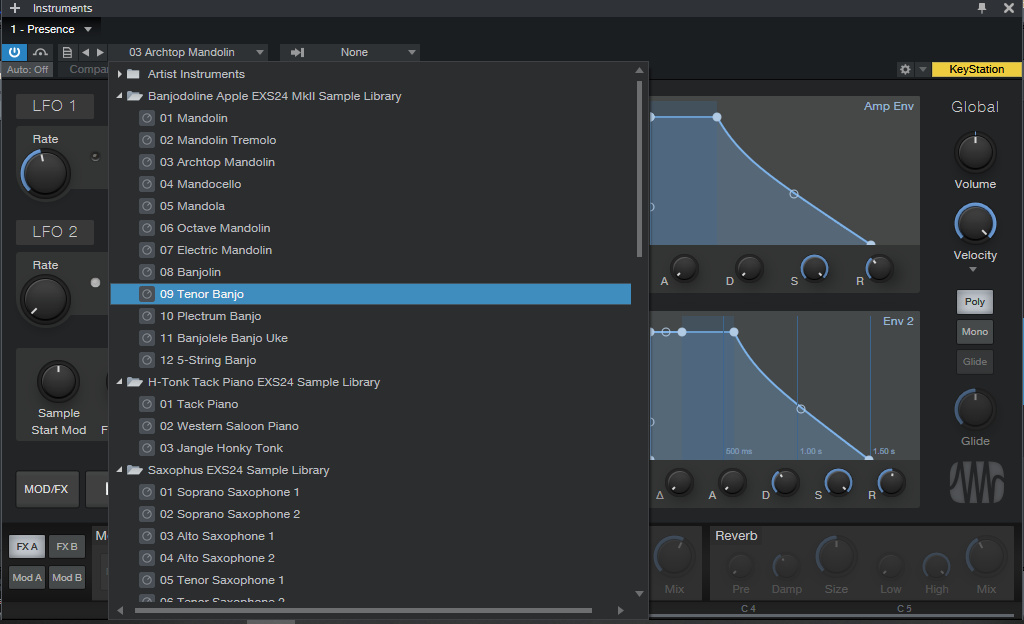
Syntheway Presence EXS24
and
KONTAKT Sample
Libraries are
compatible with Presence XT.
Presence XT is a virtual sample-player instrument that
enables you to play an endless variety of sounds. Presence
XT uses a generic multisample format (also supported by
Bitwig Studio) packaged into Sound Sets, and can also load
and play presets in EXS, Giga, Kontakt (version 4 and
below), and SoundFont formats. The bundled Sound Sets
include a variety of high-quality instruments. You can shape
your sounds with the provided filter, LFOs, envelopes, mod
matrix, and effects.
While Presence XT is, by default, limited to playing sounds
from existing libraries, by purchasing the Presence XT
Editor Option, you can upgrade it to a full-featured
sampler. With this option installed, you can create your own
sample-based instruments, with powerful layering and
scripting features. For more information, see Presence XT
Editor.
Presence XT employs a high-performance disk-streaming sample
playback system, enabling the use of presets that use very
long samples. Up to 128 sample voices can play
simultaneously. One voice is often equivalent to one note.
However, some sounds have elements (such as layers and
articulations) that can consume more than one voice per note
played.
The central preset display shows the number of sample voices
being used at any moment, as well as the name and size of
the loaded preset. The Voice Limit parameter lets you set
the level of polyphony you want (1-128, 64 by default).
Using 3rd-Party Sample Formats
Sounds in
EXS, Giga,
KONTAKT
(version 4 and below), and SoundFont formats can be
loaded directly, with no conversion required. You can load
these presets by dragging from the Windows Explorer or macOS
Finder onto the plug-in window, or onto a Track with
Presence XT loaded. You can create a new Instrument Track
with Presence XT and your choice of preset already loaded,
by dragging the preset between two Tracks (or next to the
top or bottom Track) in Arrange view.
You can also locate and access 3rd-party presets using the
Files tab in the Browser. If you have an established
directory for sampler content, you can create a new Browser
tab pointing to that directory, for quick access.
See also Managing the Syntheway EXS24 and KONTAKT
Sample Libraries in Presence XT