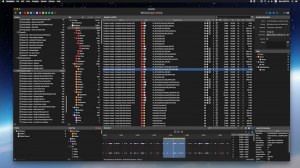
Samplism is a revolutionary audio file organizer
that helps you quickly organize, preview and
search for your audio samples.
Key Features:
1. Automatic Tag Matching Samplism features a
breakthrough technology that automatically
categorizes audio samples into tags. With
Samplism, you don't need to waste your time
anymore on manually categorizing your audio
files. Just drag and drop directories on your
Mac into Samplism. All audio samples are
automatically categorized into tags. It's
practically a magic.
2. Search for Audio Samples using Tags and Auto
Tags Samplism provides a simple, quick and easy
way to search for audio samples using tags and
auto tags. By simply selecting a tag, all its
corresponding samples will be shown in the
Sample List. In addition, auto tags allow you to
search for samples with more specific criteria.
3. Manual Tag Matching The automatic tag
matching feature in Samplism allows you to
quickly and conveniently classify audio samples
into tags. But sometimes the matching results
may not be accurate. With the manual tagging
feature, you can classify samples more
precisely.
4. User-Defined Tags In addition to a rich set
of built-in tags, Samplism allows you to create
your own tags and group tags. With the
user-defined tagging feature, you can categorize
audio samples much more accurately.
5. Organize Audio Samples with Folders Samplism
provides folders and folder groups to help you
organize audio samples better. Simply select
audio samples in a library and drag and drop
them into a folder. It is simple, quick and
easy.
6. Advanced Sample Player Samplism provides a
simple, easy-to-use yet powerful sample player
which allows you to play an entire audio file,
the waveform selection, or transient regions.
7. Files View The Files View allows you to
simply and quickly search for audio samples on a
directory-basis.
8. Simplism: the Samplism mini player Simplism
is designed to use with DAWs or other audio apps
together on a single monitor screen. It takes up
very little space on your screen and still
provides most key features of Samplism such as
navigating, previewing and searching for your
audio samples.
9. Export Audio Samples With Samplism, exporting
as audio files has never been easier. Simply
select audio samples, the waveform selection, or
transient regions. Samplism provides various
export options such as file type, sample rate
and bit depth. With just a click, all selected
samples are automatically converted as audio
files, which can be used in other DAWs.
10. Import Third-Party Library Samplism provides
a super easy way to import well-known
third-party libraries installed on your Mac.
Samplism automatically detects well-known
third-party libraries, so you don't need to
worry about finding the directory location of
third-party libraries. No setup is required. All
you have to do is to simply import them with
just one-click. (* Logic Pro X, Ableton Live,
Native Instruments, Loopcloud and Splice
supported).
11. Working with DAWs Simply drag and drop audio
samples, the waveform selection or transient
regions into DAWs. It just works. A powerful
drag and drop feature in Samplism greatly
improves workflow and increase creativity.
Sampling has never been easier with Samplism.
12. Working with Audio Units Samplism supports
Audio Unit effects. By selecting the Audio Unit
View, Samplism scans all Audio Unit effects
installed on your Mac and shows them in the
Audio Unit List. All you have to do is to
preview audio samples with Audio Unit effects
applied, tweak the plugin parameters and enjoy
the sound.
13. Built for Mac Samplism takes full advantage
of the latest macOS technologies including Core
Audio, Core Animation and Grand Central
Dispatch, and is fully optimized for 64-bit and
multicore processors.
Minimum System Requirements:
macOS 10.11, or later. Screen resolution of 1280
x 800 pixels or higher. Requires 64-bit Audio
Units plug-ins.