Changing your web browser on a Mac as simple as opening an application.
To change your default web browser in Mac, follow these steps.
Steps
-
1.
Go to Applications > Safari.
- 2. -Click on Safari in
the menu bar and select Preferences.
- 3.-
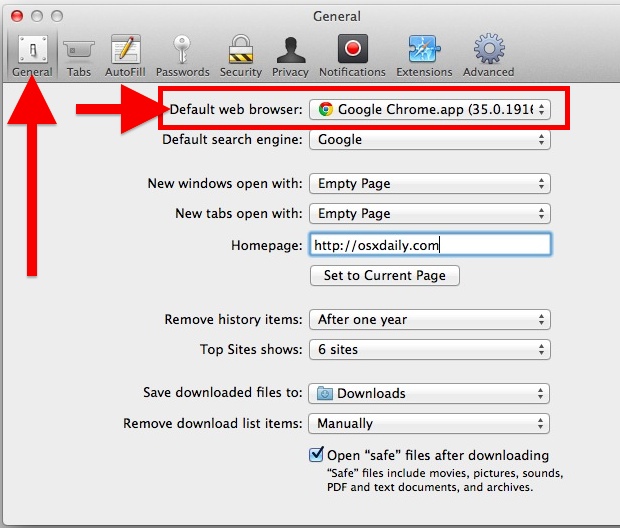
Under the General tab,
click the arrows next to Default
Web Browser. This
should pull open a list of other browsers you have installed.
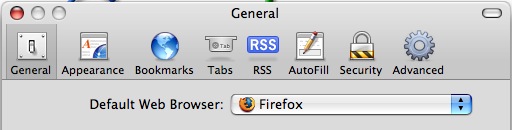
4.- If no other browsers appear, download and install the
alternative you desire. For example, try installing
Firefox for Mac OSX.
While you’re here, you can also change your default search
engine.
-
5. -Select the desired browser
and apply.
Tips
-
The steps above work from the Preferences pane of many Mac OS X
web browsers, not just Safari.
-
Most web browsers will check at startup to see if they are the
default browser. The browser will give you the option to make it
the default browser.