Logic Pro Alchemy Sampler by Apple

Menu

  Home

Apple Logic Pro X

Alchemy Sampler

Importing .exs instrument files


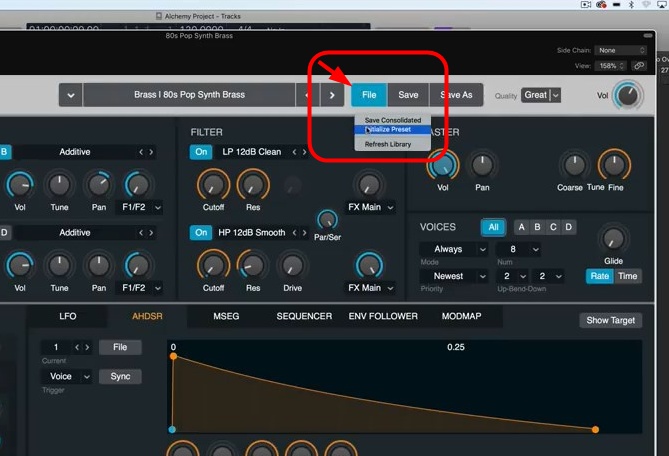
1. Start with an initialized patch (File>Initialize Preset) in Alchemy.


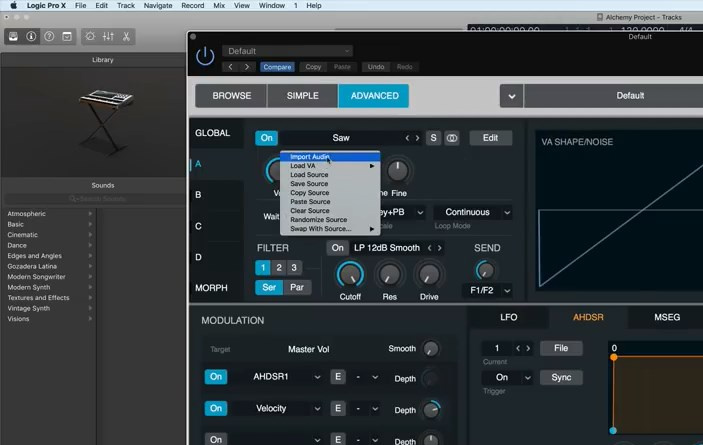
2. Click on the Saw label to open the drop-down Source menu, where you can select the Import Audio option. You should now be presented with a file browser.


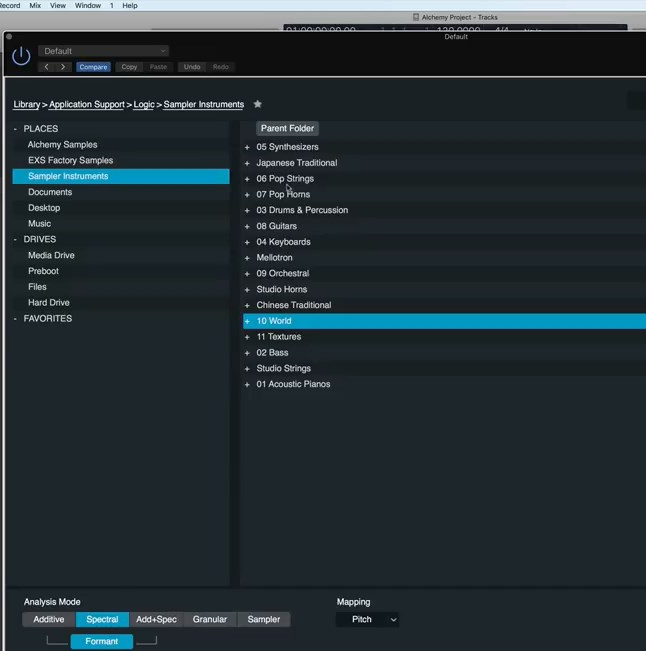
3. Navigate to the location where you’ve copied the EXS24 Sample Library folder. Usually Sampler Instruments:


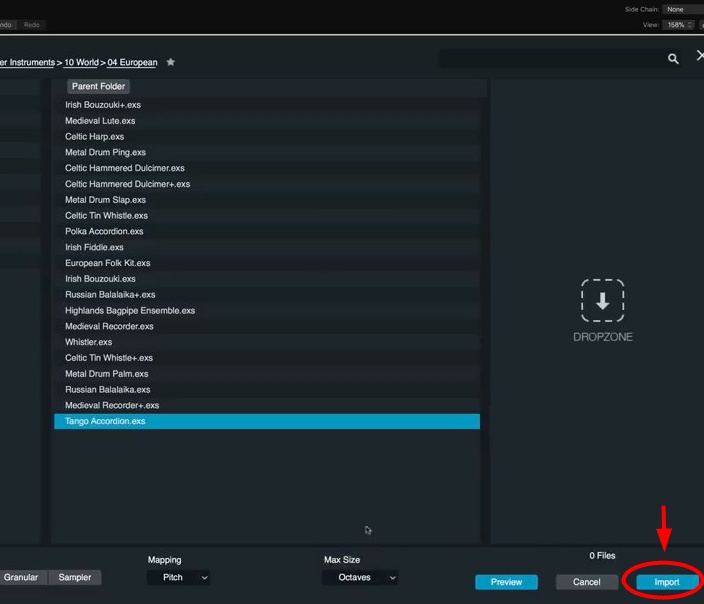
4.- Once selected the .exs instrument file click import button


EXS24 MkII Sample Libraries for Apple Logic Pro EXS24 Sampler, GarageBand AUSampler (macOS ), Ableton Live Sampler, Steinberg HALion, MOTU MachFive 3, Presence XT Sampler -PreSonus Studio One 3 Professional- (macOS & Windows) as well as E-MU Emulator X3 and Image-Line DirectWave Player for Windows.

Emulator X™ is a trademark of E-MU Systems

Audio Units™ is a trademark of Apple Inc.

DirectWave Player™ is a trademark of Image-Line

Live™ and Sampler™ are trademarks of Ableton AG

Logic Pro® and EXS24™ are trademarks of Apple Inc.

Kontakt™ is a trademark of Native Instruments GmbH

VST is a trademark of Steinberg Soft- und Hardware GmbH

HALion™ is a trademark of Steinberg Soft- und Hardware GmbH

GarageBand® and AUSampler™ are registered trademarks of Apple Inc.

Studio One™ and Presence XT™ are trademarks of PreSonus Audio Electronics, Inc.

Mac®, macOS®, OS X® are a trademark of Apple Inc., registered in the U.S. and other countries.

Windows 7™, Windows 8™, Windows 10™ are either a registered trademark or a trademark of Microsoft Corporation in the United States and/or other countries.


Copyright © 2004-2026 Syntheway Virtual Musical Instruments.

Privacy Policy | Disclaimer | FAQ | Site Map | Artists & Links | Technical Support | Contact | About Us